



CoreFavor Smart Waterless Diffuser
CoreFavor
- App, remote and touch
- Waterless dual-fluid mist
- Six 70ml oils included
- Runs at 38 decibels
- Ambient breathing light
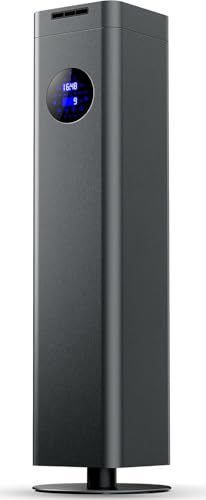
Aromadd G-Air (Grey, 1500ml)
Aromadd
- Covers up to 4000 sq. ft
- Waterless cold air diffusion
- App control via Bluetooth or WiFi
- LED touchscreen display
- Floor-standing 1500ml capacity

LAOPAO Wood-Grain Diffuser
LAOPAO
- Touch panel controls
- Waterless nano mist
- 100 hour battery
- Wood-grain finish
- 45 degree tilt stop

Fuutilake Portable Waterless Diffuser
Fuutilake
- Touch-controlled
- 3 spray settings
- 3 timer settings
- Type-C rechargeable
- Small and light

Airversa AN6 Waterless Diffuser
Airversa
- Touch controls
- 3 mist modes
- 4 timer options
- 600 sq. ft. coverage
- Cup-holder body

Delousiber Waterless Diffuser
Delousiber
- Touch controls
- 3 mist levels
- 3 timer settings
- 72 hour battery
- Under 30dB

Aromatech AroMini BT Plus (Bluetooth Aroma Diffuser)
AromaTech
- Covers 1,500 sq ft
- App controlled Bluetooth
- Cold air diffusion
- Whisper quiet operation
- 60ml bottle capacity

Smart Car Air Freshener - 3 Modes with 3 Pcs Essential Oil
Smart
- Smart start/stop with ignition
- Three fragrance modes available
- Up to 45-day battery life
- Universal air vent fit
- Waterless leak-proof design

Cavir Waterless Diffuser for Essential Oils
Cavir
- No water needed at all
- 2000mAh rechargeable battery inside
- Three mist intensity levels
- Three timer settings available
- Fits home office or car
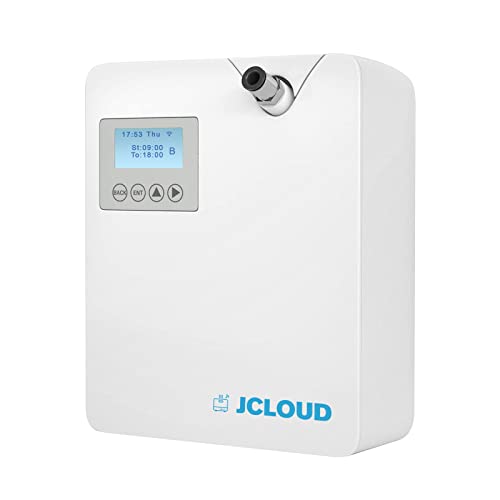
Jcloud Smart Scent Air Machine P300 (White, 300ml)
Jcloud
- Cold air technology
- 300ml oil capacity
- App controlled operation
- 2000 sq ft coverage
- Waterless essential oil diffusion
What is a touch control diffuser?
A touch control diffuser is an essential oil or fragrance diffuser you run by tapping a smooth panel on the unit instead of using clicky mechanical buttons, a dial or a separate remote. Tap once to start the mist, tap again to change the mode and, on many models, hold to switch the light off. On simpler models the panel is a single glowing spot on the lid; on larger scent machines it is a full LED display with several keys.
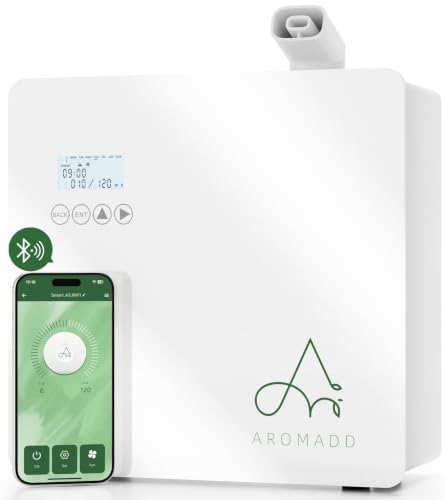
Panels like this turn up on every type of diffuser. NEOM's original Wellbeing Pod, for example, has a touch-sensitive display for the fragrance flow and dimmable lights, while the Tisserand Aroma Spa cycles through intermittent mist, continuous mist and off with each tap. At the other end, waterless cold air scent machines such as the Aromaplan 2025 Pro and Aromadd G-Air pair a touch screen with an app.
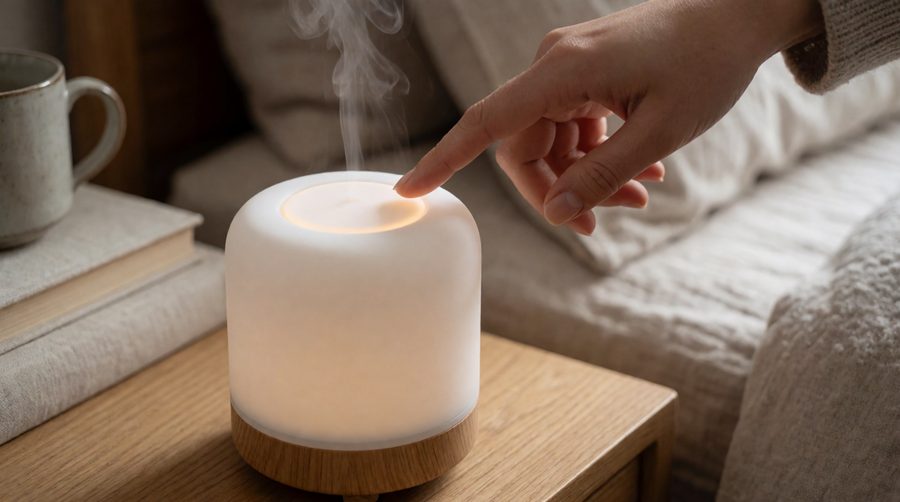
How the panel works
Most of these panels are capacitive, like a phone screen, which is why you will also see them sold as a touch sensor diffuser. A small electrical field sits under the smooth surface, and your fingertip changes it enough for the diffuser to register a press. There are no moving parts to wear out or gaps for oil and dust to get into, which is why the top of a touch screen diffuser is so easy to wipe clean.
The same design has a few quirks worth knowing:
- Gloves and wet hands: capacitive keys may not respond through gloves, and wet or oily fingers can cause missed or double presses.
- Accidental presses: wiping the panel, or a cat brushing past, can switch the diffuser on or change a setting. A key lock solves this.
- No feel: a flat panel gives no physical click, so good models confirm each tap with a beep, a light or both.
Touch panel, buttons, remote or app?
Tapping the unit is only one way to run a diffuser, and many models combine two or three. Here is how they compare:
| Touch panel | Physical buttons | Remote | App | |
|---|---|---|---|---|
| Speed for everyday use | Fast, on the unit | Fast, on the unit | Fast, from the sofa | Slower: unlock phone, open app |
| Works without a phone or Wi-Fi | Yes | Yes | Yes | No |
| Scheduling | Basic timers on most | Basic timers | Basic timers | Daily and weekly schedules |
| Easy to clean | Very | Gaps round buttons | Yes | Nothing to clean |
| Easy to use by feel | Harder | Easiest | Easy | Depends on phone settings |
| Guests can use it | Yes | Yes | If they find the remote | Only with your app |
For most homes, the best setup is a panel on the unit for day-to-day use and an app for the clever bits. If schedules, Alexa and voice commands matter most, start with our smart diffuser picks or an app controlled diffuser; if you mainly want quick control on the unit, stay here.
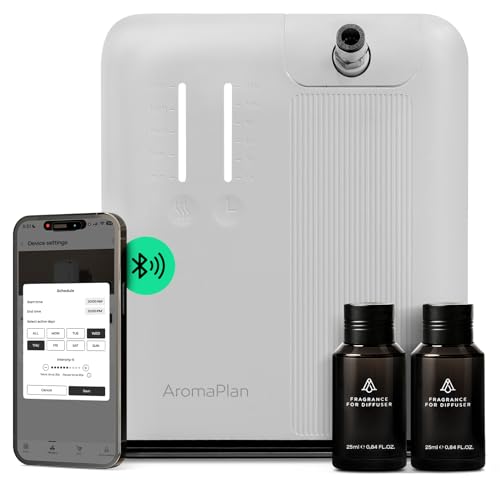
What a diffuser with display shows
An LED display diffuser turns guesswork into a glance. Depending on the model, the screen can show:
- Timer: the hours or minutes left, or which countdown (1, 2, 4 hours and so on) is set. For full scheduling, see our diffuser with timer range.
- Intensity: a level number or bar. Scent machines such as the Aromaplan 2025 Pro offer 10 levels, so seeing the number helps you repeat a setting you liked.
- Mode: continuous, intermittent or a work/pause cycle, sometimes with the on and off times in seconds.
- Oil or water level: a warning when the bottle or tank is low, usually followed by auto shut-off.
- Programme number: which of several saved programmes is running.
- Status icons: Bluetooth or Wi-Fi connection, the light colour and a padlock when the keys are locked.
A digital diffuser with a screen is most useful on larger units that run for hours, such as a large room diffuser in an open-plan space or a shared office diffuser, where you want to check the oil level without picking up a phone.
Child locks and key locks
A child lock (also called a key lock or safe lock) disables the keys so a press does nothing until you unlock them, usually by holding one key or two keys together for a few seconds. Check the manual for your model, as the combination varies.
It is worth having if you have young children, pets that jump on surfaces, or a diffuser in a shared office or holiday let. It stops settings being changed, the unit being switched off mid-programme and accidental presses while you clean. A lock on the keys doesn't secure the oil, though. The Child Accident Prevention Trust warns that aromatherapy oils can be harmful to small children if swallowed, so keep bottles and the diffuser itself out of reach.
Night-time: dimming the display
A bright screen is handy in the day and annoying at night. The NHS sleep advice lists light and noise among the things that can make it harder to sleep, so for a bedroom look for:
- a display that dims or switches off a few seconds after the last touch;
- a separate night or sleep mode that turns off both the screen and any mood light;
- an adjustable screen brightness setting, so you can choose dim rather than off;
- a mute option, so key beeps don't wake anyone.
Pair that with a low-noise unit from our quiet diffuser range. If you like scent as you wake, an alarm clock diffuser combines a clock display with a timed mist.
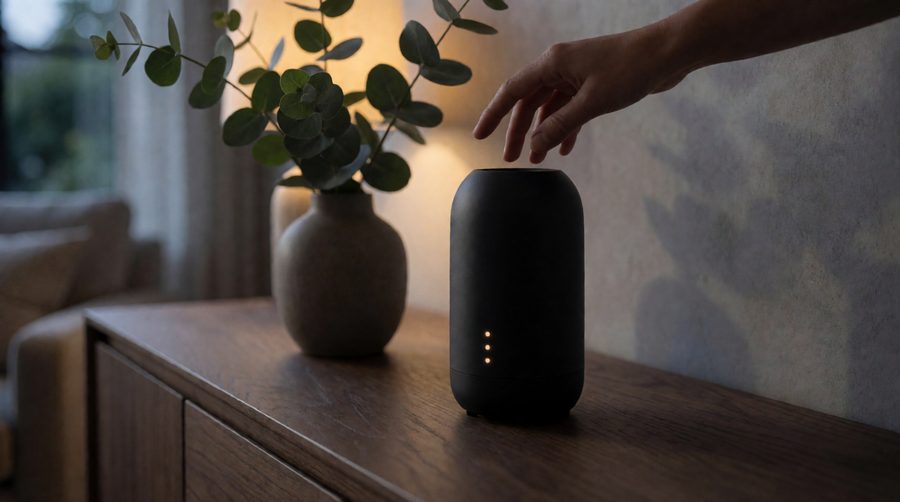
How to choose a touch control diffuser
Type: ultrasonic or waterless
Ultrasonic diffusers mix a few drops of oil with water and give a visible cool mist; they often have a single key for mist and light. Waterless and cold air models atomise neat oil, throw scent further and are more likely to have a full LED screen with intensity and programme settings. Browse our waterless diffuser range for the second type.
Clear feedback
Look for a beep, a light change or a number on screen with every tap. Without feedback, it is easy to tap twice and end up back where you started.
Readable display
Large, high-contrast digits are easier to read from across the room. If the screen is on the top of a tall unit, check you can see it from where you normally stand or sit.
Lock and memory
A key lock is the feature most owners wish they had checked for. Memory after a power cut matters too: some models resume their programme when the power comes back, others reset to off.
Accessibility
Flat panels can be hard to use by feel. If you or someone at home has sight loss, consider a model with physical buttons or a remote, or add tactile markers from RNIB tactile labelling beside the keys you use most. App control can also help, since phones have built-in screen readers.
Coverage and noise
Match the stated coverage to the room, and check the quoted noise level in dB if it is going in a bedroom or office.

Looking after the panel
- Lock the keys or unplug the diffuser before wiping it, so you don't trigger it while cleaning.
- Use a soft, slightly damp cloth on the panel and dry it straight away; avoid solvents, which can cloud the screen.
- Wipe away spilt oil promptly, as an oily film makes the keys less responsive.
- Fill and refill with dry hands, then use the panel.
- Try a few blends and save the settings you like. Our essential oil sets make that easy.
Touch control diffuser FAQs
Is a touch screen diffuser better than one with buttons?
It is easier to clean and looks neater, and a display gives you more information. Physical buttons are easier to use by feel and in the dark. Neither is better for scent; that comes down to the diffuser type and the oil.
Why won't my diffuser respond when I tap it?
Check whether the key lock is on (look for a padlock icon), dry your fingers, and wipe the panel. Some models ignore presses for a moment after switching on.
Can I turn the display off at night?
On most models with a screen, yes: through a night or sleep mode, a light key, or a screen that dims itself after a few seconds. Check the product details, as a few models keep the display on.
Do I still need the app if a diffuser has its own screen?
No. The keys on the unit handle on, off, intensity and basic timers. The app adds weekly schedules, several programmes and remote control when you are out.
What is a digital diffuser?
It is a loose term for a diffuser with an LED display and electronic keys rather than a simple switch, so you can read and set exact timer and intensity values.
What are diffusers with adjustable screen settings?
Usually diffusers that let you change the display brightness, or set the screen to dim or switch off after a few seconds. It is the feature to look for if the diffuser sits in a bedroom.
Are these diffusers safe around children and pets?
A child lock stops the settings being changed, but keep the diffuser and oils out of reach. Many oils can harm cats in particular; read the Cats Protection guide to essential oils before diffusing around pets.